
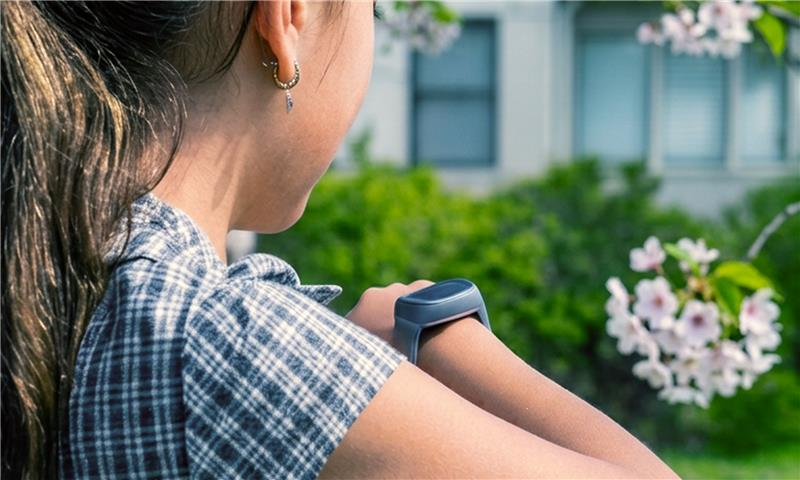
Home WiFi covers the lounge room. The school covers its own network. The park two streets over covers nothing at all. If the device on your kid’s wrist only talks to WiFi, it goes quiet everywhere in between. That’s the real question underneath every comparison of a smart watch with a SIM card: not which one looks best, but whether it can actually reach you once your kid is out the door.
Table of Contents
WiFi at home is not the same as coverage everywhere
WiFi is short-range by design. It covers a house, a classroom, maybe a café, not a footpath, a bus, or the oval at footy training. A device that only connects over WiFi is only ever as reliable as the last network it walked past.
What stops working the moment they leave
Once your kid steps outside WiFi range, a Wi-Fi-only device drops several things at once:
- Calls and messages stop sending
- Location stops updating
- An SOS button has nowhere to send its signal
It doesn’t fail with a warning. It just goes quiet, and you don’t find out until you try to reach them and nothing happens.
Why the watch has to stand alone
A kids’ watch is built to be worn without a phone nearby, so it can’t lean on a paired phone’s connection the way some fitness trackers do. Its own SIM is what lets it get online independently on the bus, at the park, wherever the day actually takes them, not just at home.
What the connection between a SIM and WiFi enables
A SIM turns the watch from a wifi accessory into a genuine communication device with three practical jobs.
- Calls from anywhere
With its own mobile connection, a kids’ watch can make and take calls the same way a phone does, over the mobile network rather than your home router. That’s what makes a call from the school gate or the bus stop possible in the first place.
- Location beyond the front door
Location awareness only means something if it keeps working after your kid leaves the house. A SIM-connected watch keeps sending updates over the mobile network as they move, rather than one static ping from the last WiFi spot it passed.
- SOS wherever they are
An SOS button is only as useful as the connection behind it. With its own SIM, pressing SOS sends an alert and a location over the mobile network immediately; it isn’t waiting to find WiFi first.
Why it cannot piggyback off your phone
It’s a fair question: if your kid usually isn’t far from you, why can’t the watch just use your phone’s hotspot?
What tethering would and would not solve
Tethering would get the watch briefly online, but only while it stays within a few metres of your phone’s hotspot. It wouldn’t help on the day they’re at a friend’s house, on a school excursion, or anywhere you’re not standing next to them.
Independence is the requirement
The entire point of a kids’ watch is letting your kid go somewhere without carrying a phone and without you in arm’s reach. A connection that depends on your phone being nearby defeats that purpose before it starts.
Physical SIM vs eSIM: What a Smart Watch With a SIM Card Actually Uses
A SIM is what proves a device belongs to a mobile network and lets it make calls, send data, and be found. There are two formats in use today, and most kids’ watches still rely on the older one.
Which one a watch uses
Most kids’ watches take a small, removable SIM, usually preinstalled by the retailer so it’s ready to go out of the box. eSIM, a SIM built into the device instead of a physical card, is growing quickly in phones, but it hasn’t overtaken physical SIM yet.
Global eSIM shipments climbed roughly 18% in 2025 to around 605 million units, driven by wider adoption across consumer devices. Yet, the total market for traditional physical SIM cards still sat at about 3.5 billion units over the same year. For a dedicated device like a kids’ watch, physical SIM remains the standard.
What that changes at setup
A physical SIM usually means less for you to do; it typically arrives already installed and matched to the watch. Where a plan uses eSIM instead, setup happens through an app rather than a physical card. It’s a difference in process, not in what the watch can do once it’s connected.
What to Check Before You Buy
Before you buy a smartwatch with a SIM card, the plan behind it deserves as much scrutiny as the watch itself.
Coverage where you actually live
Coverage maps are a starting point, not a guarantee. Independent research from Australia’s peak telco consumer body found that close to a third of respondents received different mobile coverage than they’d been led to expect from their provider. It’s worth checking coverage for the actual places your kid spends time home, school, grandma’s place, the sports ground not just the suburb in general.
What is included for the life of the plan
Plans and inclusions change, so it’s worth checking what’s actually included today rather than relying on figures that may be outdated by the time you read this:
- How much data the plan carries
- Whether it’s a fixed term or rolling month-to-month
- What happens to coverage and features if you cancel or switch
The Bottom Line: A Smart Watch With a SIM Card Goes Wherever They Do
A kids’ watch is only as useful as its weakest link, and for most families that link is connectivity, not features. Video calling, step counters, and reward badges all sit on top of a connection that either works everywhere your kid goes or only at home. A smartwatch with a SIM card is what makes the difference between a device that works when you need it and one that only works when you’re standing in the same room. Check the coverage, check what’s included, and the rest of the decision gets a lot easier.

