
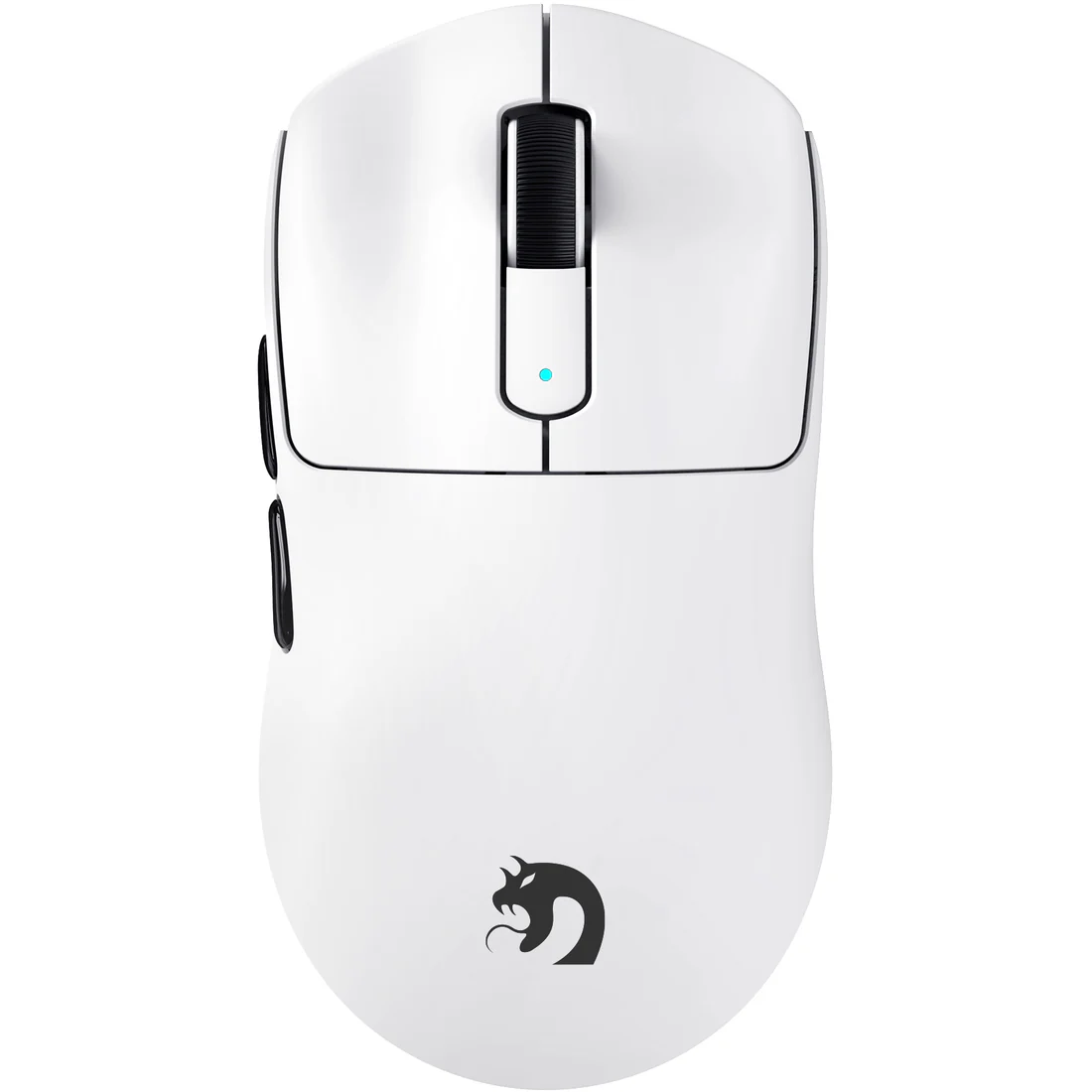
Every millisecond matters in FPS gaming. You’re tracking an enemy through a narrow corridor, your crosshair trembling as fatigue creeps into your wrist after hours of play. Your shots miss by pixels, and frustration builds because your hand simply can’t maintain the steadiness you need. This scenario plays out daily for millions of competitive gamers who haven’t yet discovered how their mouse grip fundamentally shapes their performance. A palm grip gaming mouse offers a compelling solution to these struggles, combining natural hand positioning with the stability required for precise aiming. This article explores how adopting a palm grip style transforms your FPS experience through superior ergonomic support and enhanced control. We’ll examine why this grip reduces hand fatigue, how it improves your accuracy during intense firefights, and what to look for when selecting the right mouse for your setup. Whether you’re battling wrist pain or chasing that next rank, understanding the relationship between grip style and gameplay could be the competitive edge you’ve been missing.
Table of Contents
Understanding the Palm Grip: Foundation for Gaming Success
A palm grip gaming mouse is designed so your entire hand rests flat against the mouse surface, with your fingers extended naturally over the buttons and your palm making full contact with the mouse body. This contrasts sharply with claw grip, where your fingers arch upward at the knuckles to create a tense, spring-loaded position, and fingertip grip, where only your finger pads touch the mouse with no palm contact at all. Among gaming mouse grip styles, the palm grip stands out as the most relaxed and anatomically neutral position your hand can adopt while still maintaining full device control. Your hand essentially molds around the mouse rather than hovering above it or gripping it with tension. For FPS gamers specifically, this matters because stability comes from contact area. The more surface area connecting your hand to the mouse, the more consistent your movements become during tracking and flicking. When your entire palm anchors against a properly shaped mouse body, micro-tremors diminish and your arm rather than your fingers drives the motion. This creates a predictable, repeatable aiming foundation that rewards muscle memory development over time.
The Ergonomic Advantage: Preventing Hand Fatigue and Wrist Pain
Hand fatigue and wrist pain plague gamers who spend hours in intense FPS sessions, and the root cause often traces back to unnatural hand positioning. When your hand hovers above a mouse or grips it with curled, tense fingers, the small muscles in your forearm and hand work overtime to maintain that posture against gravity. Over weeks and months, this leads to repetitive strain, inflammation, and sometimes conditions serious enough to sideline players entirely. An ergonomic gaming mouse designed for palm grip directly counters these problems by allowing your hand to rest in a neutral position where muscles remain relaxed rather than engaged. The contoured shape of a well-designed palm grip mouse distributes pressure across the entire palm and fingers evenly, eliminating the concentrated stress points that develop on fingertips and knuckle joints with other grip styles. This pressure distribution means blood flows freely through your hand, preventing the numbness and tingling that signals early strain. When selecting a mouse that prioritizes ergonomics, start by measuring your hand length and width to ensure the mouse fills your palm completely without forcing your fingers to stretch or bunch. The mouse should support your hand so completely that if you relaxed every muscle, your hand would remain in position naturally.
Key Ergonomic Features to Look For
The most critical feature is an arched back that matches your palm’s natural curvature, filling the hollow of your hand and preventing your palm from collapsing downward. Smooth, seamless surfaces reduce friction points that cause calluses during extended play. A lightweight design minimizes the force needed to move the mouse, reducing cumulative wrist strain across thousands of movements per gaming session. Wide bases provide lateral stability so your hand doesn’t need to squeeze inward to maintain control, and gradual slopes toward the front let your fingers rest without tension on the primary buttons.

Boosting Precision and Control in FPS Gameplay
The connection between palm grip and FPS accuracy becomes clear when you understand how aiming actually works at a mechanical level. Every shot you take involves two distinct movement types: tracking, where you follow a moving target smoothly, and flicking, where you snap your crosshair to a new position rapidly. Palm grip excels at both because full hand contact transforms your mouse into an extension of your arm rather than an object manipulated by isolated finger movements. When your entire palm rests against the mouse body, you eliminate the tiny involuntary adjustments that fingers make independently. Your aim becomes driven by larger, more controllable muscle groups in your forearm and shoulder. This translates directly to smoother tracking of strafing opponents and more consistent flick distances that your muscle memory can reliably reproduce. The stability gained from maximum contact area means your crosshair stays calmer during tense moments when adrenaline would normally cause micro-shakes.
To capitalize on this stability, pair your palm grip with appropriate sensitivity settings. Lower DPI values between 400 and 800 complement the arm-driven movement style, giving you granular control over long sweeps across your mousepad. Since palm grip naturally encourages larger arm movements rather than wrist flicks, a spacious mousepad becomes essential. Spend time in your game’s training range adjusting sensitivity until a comfortable full arm sweep covers exactly a 180-degree turn, creating a predictable relationship between physical movement and in-game response that accelerates muscle memory formation.
Practical Drills for Mastering Control
Dedicate fifteen minutes before competitive sessions to structured warm-up routines. Start with tracking exercises in aim trainers, following targets moving at varying speeds while focusing on keeping your palm relaxed and fully seated against the mouse. Progress to flick drills where you snap between static targets, paying attention to consistent arm motion rather than wrist snapping. If you’re transitioning from another grip style, spend your first week exclusively in casual modes, consciously resisting the urge to lift your palm during intense moments. Your accuracy may temporarily dip during adjustment, but within two to three weeks, the improved consistency will surpass your previous performance ceiling.
Choosing the Right Palm Grip Gaming Mouse: A Buyer’s Guide
Finding your ideal palm grip mouse starts with understanding your hand dimensions and play style. Measure from the base of your palm to your middle fingertip for length, and across your knuckles for width. Hands measuring 18-20cm typically pair well with medium-sized mice, while anything above 20cm demands a larger frame that prevents fingers from dangling off the front edge. Your play style matters equally: if you favor low sensitivity with sweeping arm movements, prioritize a lightweight design that won’t fatigue your arm during extended sessions. Players who blend arm and wrist aiming should seek mice with moderate weight that provides a planted, controlled feel during micro-adjustments.
When evaluating options from brands like MAMBASNAKE and other gaming peripheral manufacturers, work through this checklist: confirm the mouse height fills your palm arch without forcing your hand upward, verify that side buttons sit where your thumb naturally rests rather than requiring a reach, check that the sensor position aligns with your natural pivot point, and ensure the surface material won’t become slippery with sweat. Wireless options eliminate cable drag that disrupts smooth tracking, though wired alternatives offer consistent responsiveness without battery concerns. Test grip width by wrapping your hand around the mouse body naturally—your ring finger and pinky should rest comfortably on the right side without squeezing inward. The right mouse disappears in your hand, requiring zero conscious effort to hold.
Implementing Solutions: Long-Term Comfort and Performance Setup
Your palm grip mouse performs best within a complete ergonomic ecosystem. Set your desk height so your forearm rests parallel to the floor with your elbow bent at roughly 90 degrees, preventing your wrist from bending upward or downward during play. Position your chair so your feet sit flat and your back maintains natural curvature, since slouching shifts your shoulder forward and forces compensatory wrist angles that negate your mouse’s ergonomic benefits. Place your mouse and pad directly beside your keyboard at the same level, close enough that your arm doesn’t extend fully when reaching the far edge of your mousepad. Consider a desk mat large enough to accommodate full arm sweeps without running out of surface. For wrist pain prevention, take a two-minute break every hour to stretch your fingers, rotate your wrists, and shake tension from your forearms. Keep your gaming space at a comfortable temperature, as cold hands stiffen muscles and reduce the blood flow that sustained palm contact promotes. These habits compound over time, preserving both your health and your competitive longevity.
Elevate Your FPS Performance Through Ergonomic Grip Design
A palm grip gaming mouse addresses two fundamental challenges that FPS gamers face daily: maintaining comfort through marathon sessions and achieving the consistent control that separates good players from great ones. By allowing your entire hand to rest naturally against a contoured surface, this grip style eliminates the muscular tension that causes fatigue, pain, and ultimately degraded performance. The stability gained from full palm contact translates directly into smoother tracking, more reliable flick shots, and a calmer crosshair when pressure peaks during clutch moments. These aren’t marginal improvements—they represent a foundational shift in how your body interfaces with your most critical gaming tool. Take the time to measure your hand, select a mouse that truly fits your palm, and build the ergonomic setup that supports long-term health alongside competitive growth. As gaming hardware continues evolving toward designs informed by biomechanics and human factors research, players who prioritize ergonomic alignment now position themselves to perform at their peak for years to come rather than burning out from preventable strain injuries.

