
Ask any designer who uses AI tools daily what their biggest frustration is, and they won‘t say “image quality.” They won‘t say “speed,” either. They will say something closer to: “I spend more time re‑explaining what I want than actually refining the result.” The industry has obsessed over benchmark scores and sample galleries while ignoring the real metric that determines whether a tool survives in a working creative environment: how many clicks, keystrokes, and seconds separate you from the next generation. After logging over two hundred image‑to‑image generations across five platforms, a pattern emerged. The platform that felt fastest wasn‘t always the one with the lowest latency. It was the one that remembered what I just asked for. That platform is Image to Image.
Table of Contents
Why “One More Generation” Costs More Than You Realize
Creative work with AI is inherently iterative. You generate an image. You spot a problem a strange shadow, a misplaced object, a color shift that doesn‘t match your brand. You adjust the prompt. You generate again. In a well‑designed tool, that loop takes perhaps ten seconds of active work. In a poorly designed tool, the friction multiplies: the prompt field resets, the image history is buried, the model selection reverts to default, and you find yourself typing the same instructions for the fifth time. That friction doesn‘t just slow you down. It breaks your attention. And broken attention is expensive in creative work.
Persistent Prompts Change the Economics of Iteration
The single most valuable feature in any generation tool is one that rarely appears on feature lists: prompt persistence. When you generate an image and then want to tweak it, the previous prompt should remain visible and editable. The platform tested here keeps your prompt alive across model switches, across generation rounds, and across sessions. You don‘t lose context just because you closed the browser. This design choice sounds trivial, but in practice it turns the iteration loop from a frustrating re‑entry exercise into a fluid conversation with the tool. The difference becomes obvious after about ten generations. By the thirtieth, you never want to go back.
From Reference Image to Variation: A Low‑Friction Path
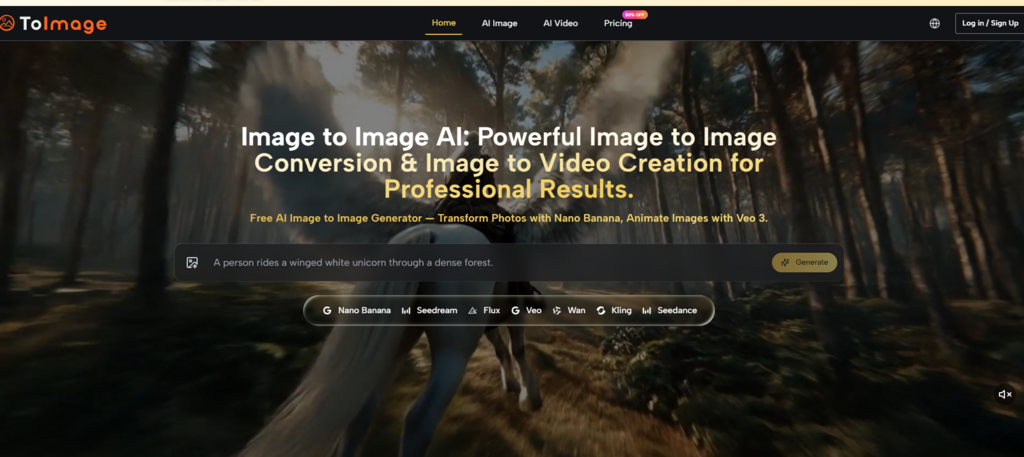
The core task for most image‑to‑image users is simple: start with an existing visual, then push it in new directions. The platform‘s interface reflects that priority. You upload your starting image — a product shot, a portrait, a rough sketch. The image sits in the composition panel, visible as you type your transformation request. The prompt box is directly adjacent. You describe what should change: background style, lighting mood, material finish, color temperature. Then you generate. The output appears in the same visual field as your source image, making comparison immediate. No tab switching. No modal dialogs. No “are you sure” interruptions.
One Interface, Multiple Model Personalities
Where the platform adds distinctive value is in how it handles model diversity without adding complexity. When you write a prompt, the system routes it to what appears to be the most appropriate model for that task type. But you can also explicitly choose between different engines. This manual selection lives in the same panel, not hidden behind advanced settings. The difference between the fast iterative engine and the high‑fidelity detail engine is immediately visible in the outputs. Once you learn which engine suits which kind of change style exploration versus precision editing, you start making intentional choices rather than accepting whatever the default produces.
Three Real Scenarios: What the Workflow Actually Feels Like
Rather than listing capabilities, it‘s more useful to walk through concrete tasks and observe how the platform behaves.
Scenario One: Product Photography Background Replacement
Starting from a standard product image on a white background, the goal with AI Image to Image was to place the item in a warm, natural living room setting while preserving every reflective highlight and edge detail. The first generation using the default model produced a credible result but shifted the product‘s color temperature too warm. The prompt was adjusted to add “keep original product color exactly as source.” The second generation corrected the color but introduced a slight blur on one edge. A third generation with a minor prompt tweak delivered a usable asset. Total time: under two minutes. The prompt remained visible for each tweak, so no re-typing was required.
Scenario Two: Portrait Style Exploration for Social Content
A headshot needed to be reinterpreted in three different illustration styles: watercolor, line art, and retro comic. The platform‘s fast iteration engine produced variations in roughly half the time of the detail‑oriented engine. Quality trade‑offs were visible — fine facial features smoothed out more aggressively — but for social media carousels viewed on mobile, the trade‑off was acceptable. The ability to switch engines without resetting the prompt made A/B testing straightforward: generate once with engine A, once with engine B, compare, and choose.
Scenario Three: Precise Object Relocation in a Complex Scene
A landscape photo required moving a small cabin from the left foreground to the right midground while keeping the lighting, tree positions, and cloud formation identical. This type of spatial instruction challenges many AI models. The platform‘s context‑aware editing engine handled the request correctly on the second attempt. The first attempt preserved the cabin‘s appearance but misjudged shadow direction. A prompt addition — “shadow direction unchanged from original” — produced a corrected output. For highly specific spatial edits, multiple generations are often necessary, and the platform makes that loop painless.
Where the Platform Shines and Where It Asks for Patience
| Workflow Aspect | Observed Performance |
| Prompt memory across generations | Retains text between rounds; no re‑entry friction |
| Model switching impact | Clear output differences; fast iteration vs. detail preservation trade‑off visible |
| Spatial instruction handling | Generally good; complex relocations may need 2‑3 attempts |
| Learning curve for beginners | Basic upload‑describe‑generate is intuitive; model selection adds optional depth |
| Session persistence | History accessible across browser restarts; useful for multi‑day projects |
Realistic Limitations in Everyday Use
The platform does not eliminate the fundamental variability of AI image generation. The same prompt can produce meaningfully different results across generations, and for production use, you should expect to generate multiple versions. Complex scenes with many discrete elements or very specific spatial relationships may require careful prompt engineering or several attempts. The video generation model produces motion from static images, but the length and complexity of the output vary based on the source image. Additionally, the quality of your text description directly determines output consistency — vague prompts yield unpredictable results, which is true of any AI image tool. The platform does not promise perfect first‑generation success, and users who need guaranteed identical outputs may find the inherent probabilistic nature of these models frustrating.
Who Should Consider This Workflow‑First Design
The platform is best understood as a tool for creators who generate images regularly from existing source material. If you produce product visuals, brand assets, social content variations, or concept art iterations, the low‑friction loop will save you meaningful time. If you occasionally need a one‑off image transformation and don‘t care about prompt history or model selection, the platform‘s depth may be unnecessary. The value proposition is not about producing the single most impressive image. It is about making the fiftieth image of the week as easy to produce as the first. For anyone who has felt the slow drain of interface friction across a long creative session, that value becomes obvious very quickly. Image to Image AI delivers on that promise not through flashy features, but through a relentless focus on reducing the number of times you have to repeat yourself.

